Showing posts with label unity. Show all posts

Wednesday, October 27, 2010

A 2D-3D-co-op platformer

I haven't giving up on the kid game. It's just resting.

In the meantime I've dug up another project. This game idea was born at the Nordic Game Jam and executed as You say Jump? I say How High!. Is a 2D-3D-two-player-co-op platformer where the main focus in the the verbal interaction between the two players playing. Both players control the same character. None of them however have full control. One player sees the character in top view and can move the character up and down. The other player sees the platform from the side and only controls the sideways movement. As both game view are flat 2D view neither of the players have enough information available on their screen to control the character alone. THEY MUST COMMUNICATE!

 This image is suppose to explain the basic game mechanics.

For the game jam we had a crazy set up with one computer and two screens. None of us had touched Unity at that point so we went with bad old flash for developing. It turned out to no ones surprise that it was a difficult task to code what on all accounts except the visuals is a 3D game in a 2D environment. So all in all not the ideal offset for the huge commercial success we all were hoping for ;)

After playing around with iPad I realised how ideal it is for two-player games. So now I'm prototyping the game in Unity.

Saturday, October 2, 2010

It Moves!

I've got the code for animating sprite sheets working. I had made the mistake of setting a variable as a float instead of an integer. In human lingo this mean I was working with a decimal number where I was supposed to use a "whole" number. I took me a while to figure this out, but by now at least I understand the code I borrowed a lot better.

I changed this:
float index = Time.time*fps;
to this:
int index = (int)(Time.time*fps);

Current screenshot of application:


Everything looks a mess. I'm trying to figure out why my graphics gets pixelated now that I've change to Unity3 and while doing so I've piled graphics in different resolutions.

Talking of Unity3 the mysterious icon issue has been fixed and it's now super easy to add an icon picture under the player settings and best of all - it works!

Monday, September 20, 2010

Out of Order


I've run into a problem. When I build and run the application it just shuts down right after showing the Unity icon. The console gives me this information:


The internet tells me I should reinstall everything - Unity, XCode and my mobile provisioning files :( 3-4GB download. Yay.

Friday, September 17, 2010

Touchy Success


Finally the touch input is working. I thought I would be able to "talk" directly to a method on a game object from another class e.g. objectname.method. I have now realised that I needed to use the method getComponent() to access the methods of the objects. This has taken forever to realise. But now the code works! It needs refining but it works.


When I touch the screen a ray is sent along the z-axis into the 3d space (world space I guess). Whatever the ray collides with is "registered" in the raycast method's collider. Assuming the object the the ray collides with is an Kid object I can then access the methods in the kid and change it's state.

Saturday, September 11, 2010

When (0,0,0) is not (0,0,0)...


I'm working on "refining" the touch function so that a kid can sense if is being touched.
All this is probably really easy but as I'm a n00b in unity even the basic stuff is difficult. The idea is that if you touch the screen on the ipad and the coordinates of your touch matches the coordinates matches a kid-object then the kid should do something.

My problem is a can't get the coordinate system of the ipad to match the one in the unity editor. I sure it something really simple I'm missing but I can't figure it out so I've taken it to the extremes - I've posted for the first time in the unity community help forum.

Thursday, September 9, 2010

Not so glossy now are you!

Bonus info on yesterday's post about the iPad icon.

I wanted this:

Instead of this:

Or to put it another way, I wanted to remove the glossy effect from my icon.

To do just that I actually had to do it via Unity Iphone! I just ticked of UIPrerendered Icon under Player Settings and build. The Xcode then updated and voila I got an icon without the gloss.

Wednesday, September 8, 2010

Det sku' vær så godt, men ...

I though it would be easy, but no. A week into the project I am learning that the stuff that looks like it's going to be hard making is medium difficult, whereas the stuff that appears super easy turns out to be hard.
After getting input from Martin and Steven (again thank you) I decided that I should rewrite all the code I've written so far. So instead of doing that I'd make a small easy thing, adding my own icon on the iPad for the game instead of the standard Unity icon.
An easy satisfying task. Unity Iphone even has a field for this under edit->project settings->player:


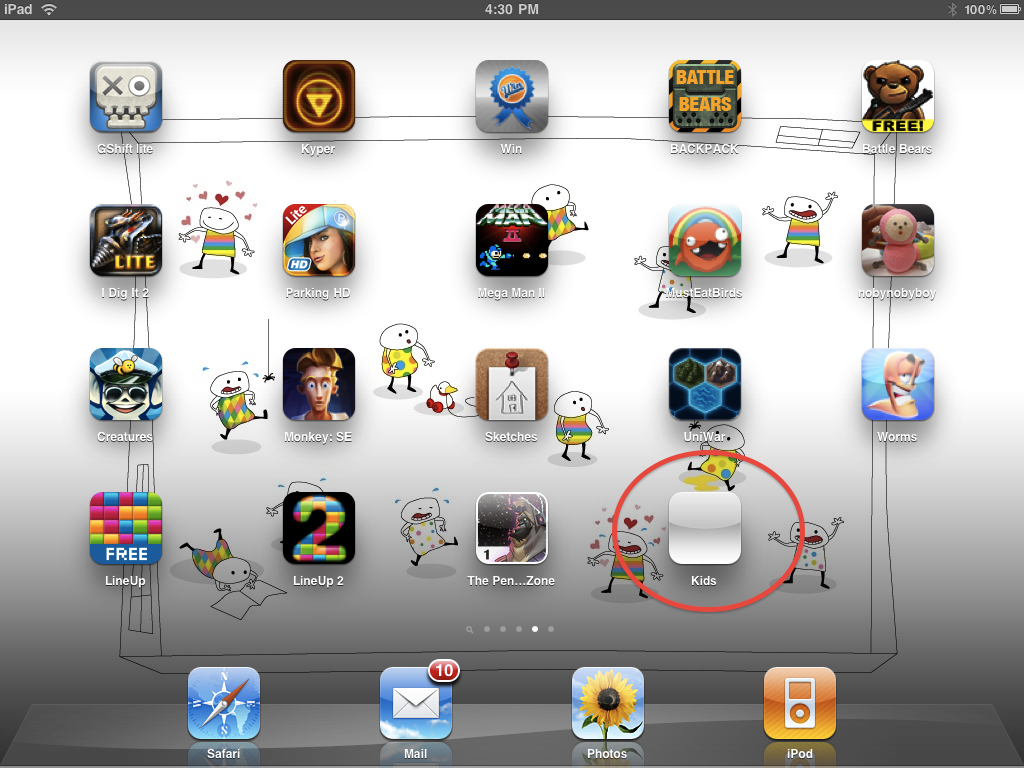
So I just drop and drag a 72x72 image on this field - a nice easy task; then build. Well no, this does not work! To the internet! After hours of reading forum posts, changing and testing I had no progress. Then I lost the Unity symbol and I was left with this:


A blank icon. Desperate and ready to write to David Helgason to apologise for losing their icon, I was ready to give up.
Most of the forum post I've read on the topic of icons and Unity iPhone mention that one would have to add the icon to the Xcode folder. Something I have been trying in different ways without luck.  Finally, Christoffer helped me and by magic he got it working without knowing how come it worked. So I backtracked everything.

Here's the solution:
Forget the icon field in Unity Iphone. It does absolutely nothing, apparently. What works is adding the 72x72 .png icon (if you are as I working on something for the ipad) to the Xcode folder. To work the image has to be named Icon-72.png or Icon-iPad.png (the file names are the real magic Ü).


So finally this is what I got after hours of desperate experimenting, yaaaaaay: